Connect with Us


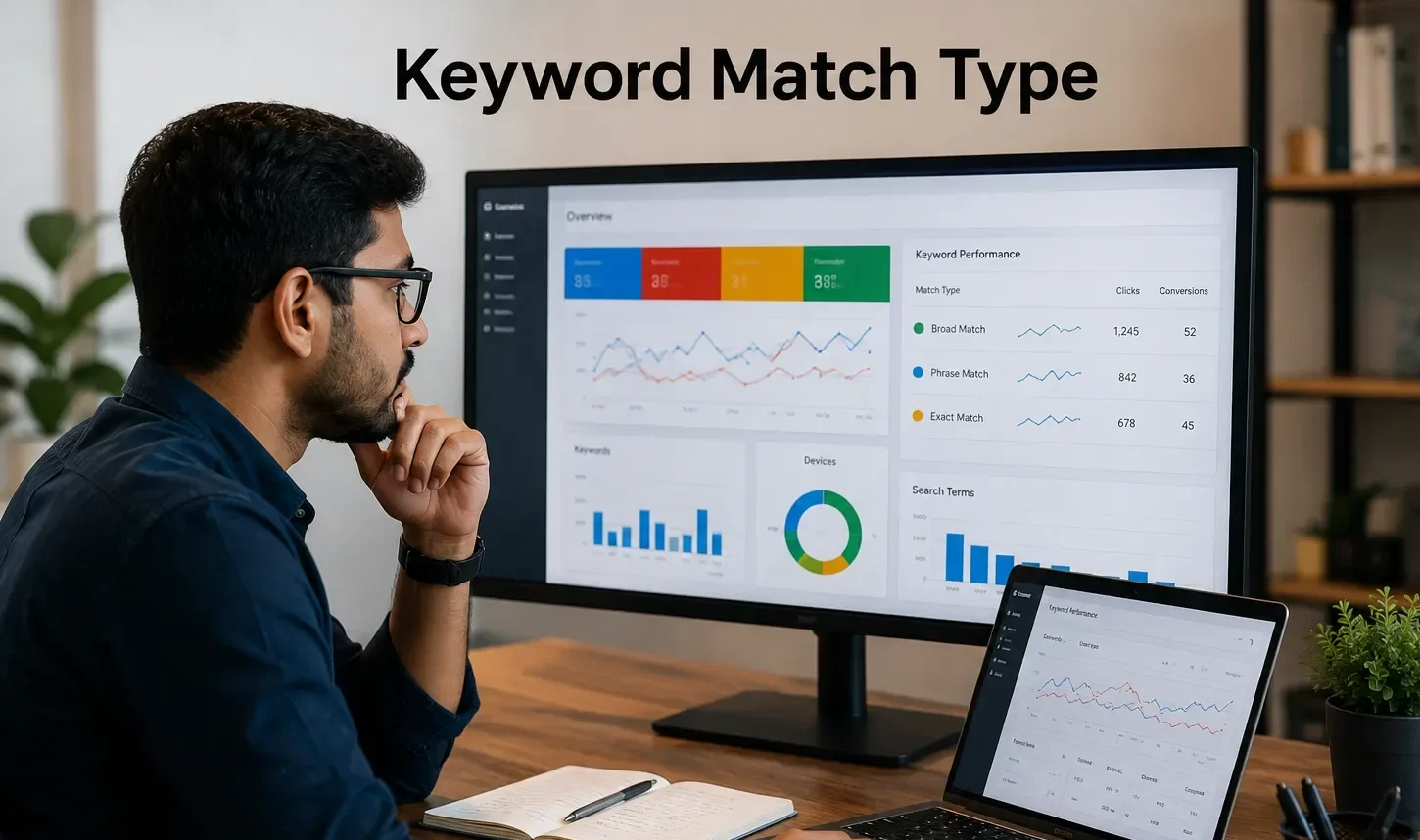
Imagine spending hundreds—or even thousands—of dollars on Google Ads only to discover that your ads are being shown for searches completely unrelated to your business.
Unfortunately, this happens more often than most advertisers realize.
The difference between a profitable Google Ads campaign and one that wastes budget often comes down to one critical setting: keyword match types.
Whether you’re promoting an online store, generating local leads, or scaling enterprise campaigns, choosing the right keyword match type determines:
- Who sees your ads
- How relevant your traffic is
- Your click-through rate (CTR)
- Your conversion rate
- Your Quality Score
- Your overall return on ad spend (ROAS)
Use match types incorrectly, and Google may show your ads to people with little intent to buy. Use them strategically, and you’ll attract highly qualified prospects who are much more likely to convert.
In this comprehensive guide, you’ll learn everything you need to know about Google Ads keyword match types—from the fundamentals to advanced optimization strategies. We’ll explain how each match type works, compare their strengths and weaknesses, provide practical examples, and show you how to choose the best option for different campaign goals.
By the end of this article, you’ll know how to build smarter campaigns, reduce wasted ad spend, and improve your overall Google Ads performance.
Table of Contents
What Are Google Ads Keyword Match Types?
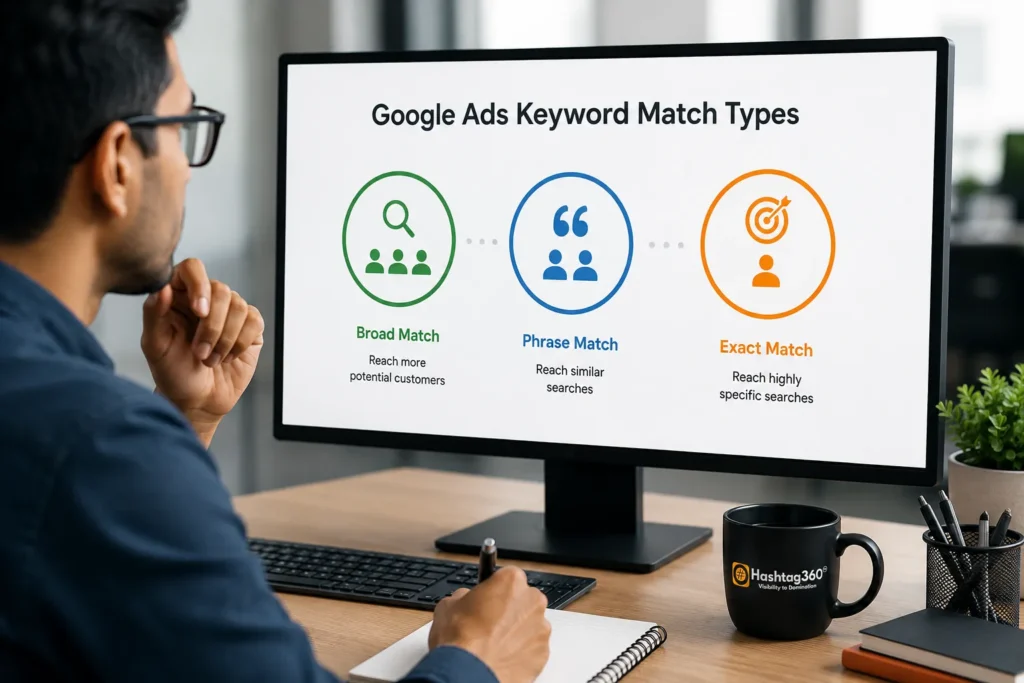
Keyword match types are settings in Google Ads that control how closely a user’s search query must match your selected keyword before your ad becomes eligible to appear.
Think of them as instructions you give Google.
Instead of simply saying:
“Show my ad whenever someone searches this keyword.”
You’re telling Google:
“Show my ad only when searches are similar in a certain way.”
The match type determines how much flexibility Google’s algorithm has when matching search queries with your keywords.
For example, suppose your keyword is:
running shoesDepending on the match type, Google may display your ad for:
| Search Query | Broad | Phrase | Exact |
|---|---|---|---|
| best running shoes | ✅ | ✅ | ❌ |
| buy running shoes online | ✅ | ✅ | ❌ |
| shoes for running | ✅ | ✅ | ❌ |
| running shoes | ✅ | ✅ | ✅ |
| jogging sneakers | ✅ (possibly) | ❌ | ❌ |
As you can see, broader match types allow Google to interpret user intent more flexibly, while stricter match types require closer alignment between the keyword and the search query.
Why Keyword Match Types Matter
Choosing the right keyword match type isn’t just a technical detail—it directly impacts campaign performance.
It influences nearly every important advertising metric.
Better Audience Targeting
The right match type ensures your ads reach people whose searches align with your products or services.
Instead of attracting random visitors, you attract users with genuine intent.
For example:
A local dentist using Exact Match for:
emergency dentist near meis far more likely to attract patients who need immediate dental care than someone broadly searching for dental information.
Lower Wasted Ad Spend
One of the biggest reasons campaigns fail is paying for irrelevant clicks.
Broad targeting without proper optimization can cause ads to appear for unrelated searches.
For example:
Keyword:
digital marketing courseWithout careful keyword management, ads could appear for:
- free marketing classes
- marketing internship
- YouTube marketing tutorial
These users may never become paying customers.
Choosing the appropriate match type—and combining it with negative keywords—helps minimize wasted spend.
Improved Quality Score
Google rewards advertisers who deliver highly relevant ads.
Relevant keywords lead to:
- Better Click-Through Rate (CTR)
- Better Landing Page Experience
- Higher Ad Relevance
- Improved Quality Score
A higher Quality Score can reduce your cost per click while improving your ad position.
Higher Conversion Rates
More relevant traffic means visitors are more likely to take action.
That could include:
- Purchasing a product
- Booking a consultation
- Filling out a contact form
- Calling your business
- Downloading a guide
The better your keyword targeting, the more qualified your visitors become.
Easier Campaign Optimization
Well-structured keyword match types make it easier to:
- Analyze search terms
- Add negative keywords
- Improve bidding strategies
- Test new keyword ideas
- Scale successful campaigns
Instead of guessing what’s working, you’ll have clearer data to make informed optimization decisions.
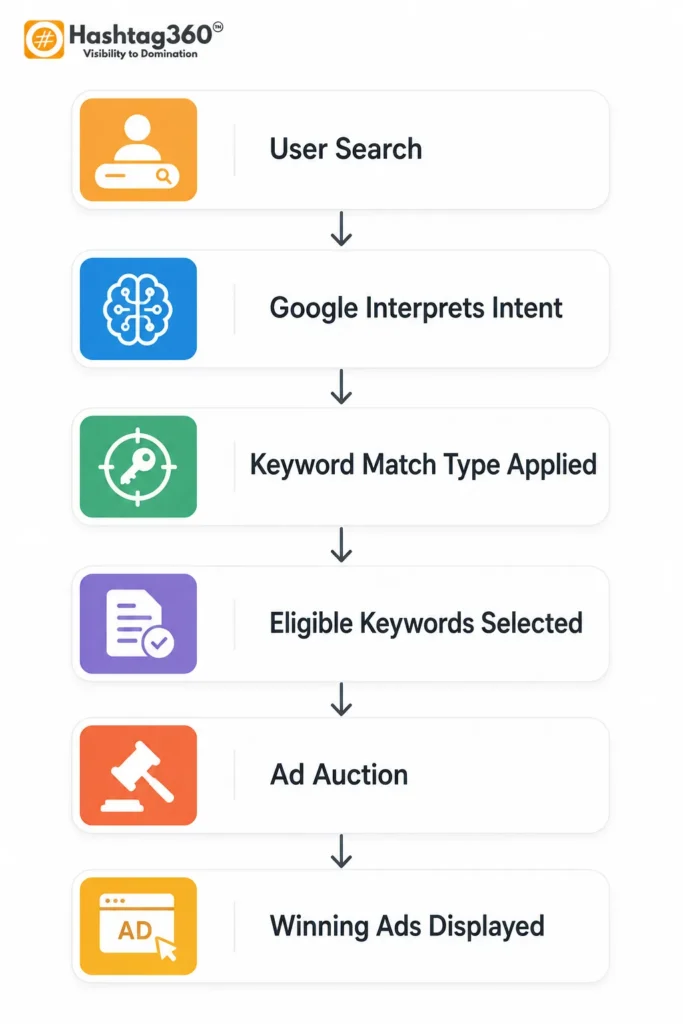
How Google Matches Search Queries to Keywords
Many beginners assume Google simply checks whether a user’s search exactly matches a keyword.
In reality, Google’s matching system is much more sophisticated.
It evaluates several factors to determine whether your ad should appear.
These include:
- The user’s search intent
- Synonyms and related concepts
- Search history
- User location
- Device type
- Language settings
- Previous search behavior
- Keyword match type
- Landing page relevance
- Overall campaign quality
For example, if someone searches:
lightweight shoes for marathon training
Google may determine that this search has similar intent to your keyword:
running shoesIf you’re using Broad Match, your ad may become eligible.
If you’re using Exact Match, Google may require much closer similarity before showing your ad.
This combination of semantic understanding, machine learning, and keyword match settings helps Google deliver ads that are both relevant to users and effective for advertisers.
Overview of All Google Ads Keyword Match Types
Google Ads primarily uses three active keyword match types, each offering a different balance between reach and precision. Understanding how they differ is the foundation of building effective campaigns.
[Comparison Table]
| Match Type | Reach | Relevance | Typical Use Case |
|---|---|---|---|
| Broad Match | Highest | Medium | Discover new search queries and maximize reach |
| Phrase Match | Moderate | High | Balance traffic volume with search intent |
| Exact Match | Lowest | Very High | Capture high-intent searches with maximum control |
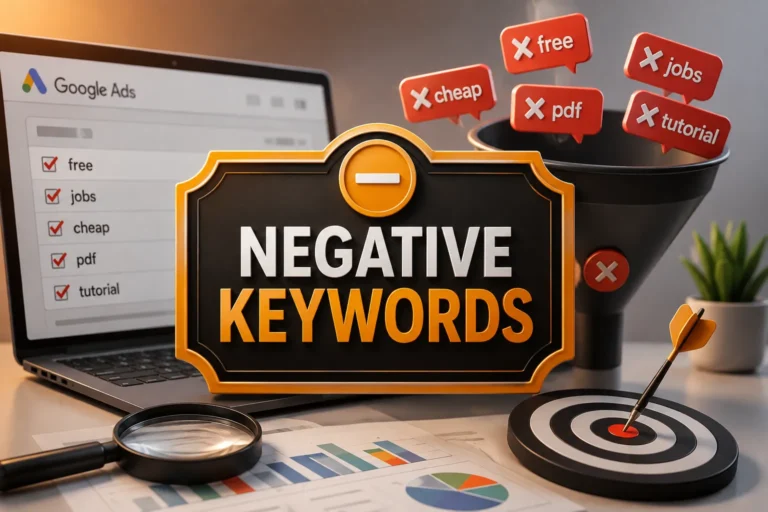
In addition to these, Negative Keywords are used to prevent your ads from appearing for irrelevant searches. Rather than expanding reach, they refine targeting by excluding unwanted queries.
Each match type serves a different purpose:
- Broad Match helps uncover new opportunities and works well with automated bidding strategies.
- Phrase Match provides a balance between flexibility and control, making it a popular choice for many advertisers.
- Exact Match focuses on users with highly specific intent, often resulting in stronger conversion rates.
- Negative Keywords protect your budget by filtering out searches that are unlikely to convert.
Choosing the right combination depends on your campaign goals, budget, and stage of optimization. In the next section, we’ll explore Broad Match in depth, including how it works, real-world examples, advantages, disadvantages, and when you should—or shouldn’t—use it.
Broad Match Keywords: The Smartest Way to Discover New Customers
Broad Match is the default keyword match type in Google Ads. It gives Google’s machine learning the most flexibility to determine when your ads should appear.
Instead of matching only the exact words you choose, Broad Match looks at the overall intent behind a user’s search. Google may consider synonyms, related concepts, previous searches, and contextual signals to decide whether your keyword is relevant.
This makes Broad Match the widest-reaching option available.
How Broad Match Works
Suppose your keyword is:
running shoesWith Broad Match, your ad could appear for searches such as:
| User Search | Eligible? | Why |
|---|---|---|
| best running shoes | ✅ | Same intent |
| buy running shoes online | ✅ | Closely related |
| jogging sneakers | ✅ | Synonym |
| marathon footwear | ✅ | Related concept |
| athletic shoes | ✅ | Similar meaning |
| sports shoes for men | ✅ | Broader interpretation |
Notice that Google doesn’t require the exact words “running shoes.” Instead, it evaluates whether the search intent aligns with what the advertiser is offering.
Advantages of Broad Match
1. Maximum Reach
Your ads can appear for a much wider range of relevant searches, helping you connect with new audiences you may not have considered.
2. Keyword Discovery
Broad Match is excellent for uncovering new search terms that customers actually use.
These insights can later be added as Phrase Match or Exact Match keywords.
3. Supports Smart Bidding
Google recommends Broad Match when using automated bidding strategies such as:
- Target CPA
- Target ROAS
- Maximize Conversions
- Maximize Conversion Value
Machine learning performs best when it has more search opportunities.
4. Saves Time
Instead of creating hundreds of keyword variations, Broad Match lets Google’s algorithm cover many relevant searches automatically.
Disadvantages of Broad Match
Broad Match isn’t perfect.
Without proper optimization, it may trigger ads for searches that aren’t commercially relevant.
For example:
Keyword:
digital marketing agencyYour ads might appear for:
- digital marketing jobs
- digital marketing salary
- digital marketing course
- free marketing tools
These users are unlikely to become paying customers if you’re selling agency services.
When Should You Use Broad Match?
Broad Match works well when:
- Launching a new campaign
- Testing a new market
- Using Smart Bidding
- Looking for keyword opportunities
- Working with a large advertising budget
- Collecting search term data
When Should You Avoid Broad Match?
Avoid relying solely on Broad Match if:
- You have a very limited budget.
- Your products serve a niche audience.
- You need precise lead generation.
- Every click is expensive.
In these cases, Phrase Match or Exact Match often provides better control.
Phrase Match Keywords: The Perfect Balance Between Reach and Control
Phrase Match is often considered the sweet spot of Google Ads keyword targeting.
It provides more flexibility than Exact Match while maintaining greater control than Broad Match.
Your ad can appear for searches that include the meaning of your keyword, even if additional words appear before or after it.
How Phrase Match Works
Suppose your keyword is:
"running shoes"Google may show your ad for:
| User Search | Eligible? |
|---|---|
| buy running shoes | ✅ |
| best running shoes online | ✅ |
| running shoes near me | ✅ |
| affordable running shoes | ✅ |
| shoes for running | ✅ (similar meaning) |
| jogging sneakers | ❌ |
Phrase Match still considers user intent, but it requires the search to maintain the meaning of your keyword.
Advantages of Exact Match
Highest Search Intent
Users are usually searching for exactly what you offer.
Better Conversion Rates
Since traffic is highly qualified, conversion rates often improve.
Better Budget Control
You avoid paying for many unrelated searches.
Easier Performance Analysis
Because searches are tightly grouped, optimization becomes simpler.
Limitations
Exact Match reaches fewer people.
This means:
- Lower impressions
- Lower clicks
- Slower keyword discovery
It may not be ideal for brand-new campaigns.
Best Use Cases
Exact Match works best for:
- High-converting keywords
- Expensive CPC industries
- Lawyers
- Insurance companies
- Medical services
- Enterprise B2B
- High-ticket products
Understanding Negative Keywords
Negative Keywords are one of the most overlooked yet powerful optimization tools in Google Ads.
Instead of telling Google when to show your ad, they tell Google when not to show it.
This prevents wasted clicks and improves campaign efficiency.
Example
Suppose you sell premium leather shoes.
Keyword:
leather shoesYou may want to exclude:
- free
- cheap
- repair
- used
- DIY
- second hand
Now, searches like:
- free leather shoes
- used leather shoes
- leather shoe repair
will no longer trigger your ads.
Why Negative Keywords Matter
Benefits include:
- Lower CPC
- Better CTR
- Better Quality Score
- Higher Conversion Rate
- Reduced wasted budget
Common Negative Keywords
For service businesses:
- jobs
- careers
- internship
- salary
- tutorial
- free
For eCommerce:
- used
- second hand
- repair
- manual
- replacement
Broad Match vs Phrase Match vs Exact Match
[Comparison Table]
| Feature | Broad Match | Phrase Match | Exact Match |
|---|---|---|---|
| Audience Reach | ⭐⭐⭐⭐⭐ | ⭐⭐⭐⭐ | ⭐⭐ |
| Relevance | ⭐⭐⭐ | ⭐⭐⭐⭐ | ⭐⭐⭐⭐⭐ |
| Control | ⭐⭐ | ⭐⭐⭐⭐ | ⭐⭐⭐⭐⭐ |
| Traffic Volume | High | Medium | Lower |
| Conversion Rate | Medium | High | Highest |
| Keyword Discovery | Excellent | Good | Limited |
| Budget Control | Low | Medium | High |
| Best for Beginners | Yes (with Smart Bidding) | Yes | After optimization |
| Risk of Wasted Spend | Higher | Moderate | Lowest |
Real-World Example: Online Shoe Store
Imagine an eCommerce business selling premium running shoes.
| Match Type | Keyword | Possible Search | Outcome |
|---|---|---|---|
| Broad | running shoes | marathon footwear | Ad may show |
| Phrase | “running shoes” | best running shoes for men | Ad likely shows |
| Exact | [running shoes] | running shoes | Highly likely |
| Negative | free | free running shoes | Ad blocked |
This illustrates how each match type influences the balance between reach, relevance, and control.
Mini Case Study: Reducing Wasted Ad Spend
Business: Local Home Cleaning Service
Problem: High ad spend with low conversions.
Initial Setup
- Only Broad Match keywords
- No Negative Keywords
- Manual CPC bidding
Results (30 Days)
- Clicks: 2,450
- Conversions: 39
- Cost per Lead: ₹1,480
Optimization
The advertiser:
- Added Phrase Match for service keywords.
- Converted top-performing queries to Exact Match.
- Added 120 Negative Keywords.
- Switched high-intent terms to Smart Bidding.
Results After 45 Days
- Clicks: 1,860
- Conversions: 81
- Cost per Lead: ₹720
- Conversion Rate: +173%
- Wasted Spend: Significantly Reduced
Key Takeaway:
The business generated more conversions with fewer clicks by improving keyword targeting rather than simply increasing budget.
How to Choose the Right Keyword Match Type
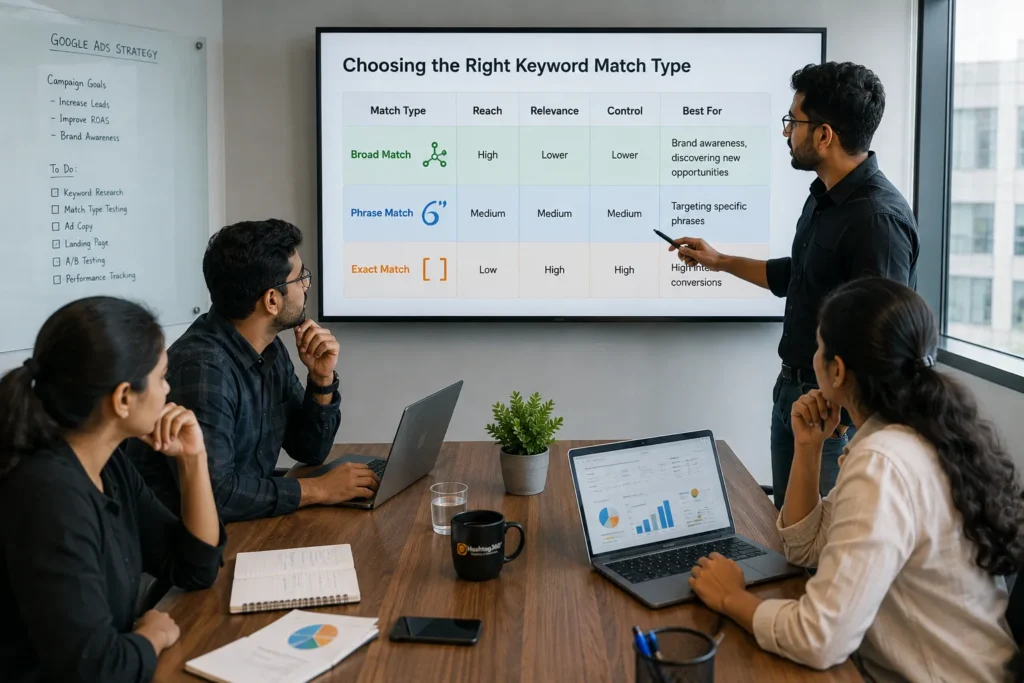
There is no single “best” keyword match type for every Google Ads campaign. The right choice depends on your advertising goals, budget, industry, and where you are in the optimization process.
A successful campaign rarely relies on just one match type. Instead, experienced advertisers combine Broad Match, Phrase Match, Exact Match, and Negative Keywords to maximize reach while maintaining control over ad spend.
Choose Broad Match When:
- You’re launching a new campaign.
- You want to discover new keyword opportunities.
- You’re using Smart Bidding strategies like Target CPA or Maximize Conversions.
- You have sufficient budget to test different search queries.
Choose Phrase Match When:
- You want a balance between traffic and relevance.
- Your goal is lead generation with controlled spending.
- You already understand your target audience and keyword intent.
- You need consistent performance without overly restricting reach.
Choose Exact Match When:
- You know which keywords generate conversions.
- Your industry has a high cost per click (CPC).
- Every click is valuable and budget efficiency is a priority.
- You want maximum control over search intent.
Use Negative Keywords Throughout Every Campaign
Negative keywords should be added from day one and updated regularly. They help eliminate irrelevant searches, improve click-through rate (CTR), and reduce wasted ad spend.
A Step-by-Step Keyword Match Type Strategy
If you’re building a new Google Ads campaign, follow this proven workflow.
Step 1: Start with Keyword Research
Use tools such as Google Keyword Planner to identify keywords with strong commercial intent. Group them into themes based on products or services.
Step 2: Launch with a Balanced Approach
Instead of using only one match type:
- Use Broad Match for discovery.
- Use Phrase Match for core service keywords.
- Use Exact Match for your highest-priority keywords.
This approach allows you to gather valuable search term data while maintaining reasonable control.
Step 3: Monitor the Search Terms Report
Review the actual searches triggering your ads every week.
Look for:
- High-converting search queries
- Irrelevant searches
- New keyword opportunities
- Potential negative keywords
Step 4: Add Negative Keywords
Exclude searches that don’t align with your business.
Examples include:
- free
- jobs
- careers
- salary
- tutorial
- used
- repair
Step 5: Promote Winning Keywords
As you identify search queries that consistently convert:
- Add them as Exact Match keywords.
- Increase bids if profitable.
- Create dedicated ad groups if necessary.
Step 6: Continue Optimizing
Google Ads is not a “set it and forget it” platform. Regular optimization is essential.
Review your campaign monthly and evaluate:
- CTR
- Conversion Rate
- Cost Per Conversion
- Quality Score
- Search Impression Share
Continuous optimization helps maintain strong campaign performance over time.
Common Mistakes to Avoid
Even experienced advertisers make mistakes with keyword match types. Avoiding these pitfalls can save significant advertising budget.
1. Using Only Broad Match
While Broad Match can uncover valuable opportunities, relying on it exclusively often results in irrelevant clicks and higher costs.
2. Ignoring Search Terms Reports
Your Search Terms Report reveals exactly how users found your ads. Ignoring it means missing opportunities for optimization and allowing wasted spend to continue.
3. Forgetting Negative Keywords
Negative keywords are just as important as your target keywords. Without them, Google may display your ads for searches that have little or no buying intent.
4. Overusing Exact Match
Exact Match provides excellent control but may limit your ability to discover new high-performing search queries.
5. Choosing Match Types Based on Assumptions
Always rely on performance data rather than assumptions. Test different match types, measure results, and optimize based on real campaign performance.
Best Practices for Google Ads Keyword Match Types
To improve campaign performance and maximize return on investment, follow these proven best practices:
- Organize keywords into tightly themed ad groups.
- Match ad copy closely with keyword intent.
- Use dedicated landing pages for each keyword group.
- Combine Phrase Match and Exact Match for core keywords.
- Use Broad Match alongside Smart Bidding when appropriate.
- Review Search Terms Reports weekly.
- Expand your negative keyword list regularly.
- Monitor Quality Score and improve ad relevance.
- Test new keywords before scaling budgets.
- Optimize based on conversion data—not clicks alone.
Expert Tips for Better Campaign Performance
Focus on Search Intent
Understanding why someone is searching is more important than matching the exact words they type. Align your keywords, ads, and landing pages with user intent to improve relevance and conversions.
Don’t Chase Traffic—Chase Conversions
High click volume doesn’t always mean success. A smaller number of qualified visitors often generates more revenue than a large amount of untargeted traffic.
Build a Strong Negative Keyword List
Create a shared negative keyword list for common irrelevant searches such as “free,” “jobs,” “tutorial,” or “DIY.” This protects your budget across multiple campaigns.
Review Performance Regularly
Google Ads performance changes over time. Search behavior, competition, and trends evolve, so reviewing campaign data regularly is essential for long-term success.
Frequently Asked Questions (FAQs)
What is the best Google Ads keyword match type?
There is no universally best option. Phrase Match is often the best starting point because it balances reach and relevance, while Exact Match works well for high-intent keywords and Broad Match is useful for discovery.
Is Broad Match good for beginners?
Broad Match can work well for beginners when paired with Smart Bidding and a strong negative keyword strategy. Without optimization, however, it may lead to irrelevant traffic.
Does Exact Match mean only exact words?
No. Modern Exact Match also considers close variants, such as singular and plural forms, misspellings, and searches with the same intent.
Should I use all keyword match types together?
Yes. Many successful advertisers use a combination of Broad Match, Phrase Match, Exact Match, and Negative Keywords to balance discovery, relevance, and budget control.
How often should I review keyword performance?
Review your Search Terms Report at least once a week for active campaigns. Regular analysis helps identify new opportunities and reduce wasted spend.
Are negative keywords really necessary?
Absolutely. Negative keywords prevent your ads from appearing for irrelevant searches, helping improve CTR, Quality Score, and return on ad spend.
Final Thoughts
Keyword match types are one of the most powerful tools in Google Ads, yet they are often misunderstood or underutilized. Choosing the right match type isn’t about selecting one option over another—it’s about building a strategy that aligns with your campaign goals.
Broad Match helps you discover new opportunities, Phrase Match offers a strong balance between reach and relevance, Exact Match captures high-intent traffic, and Negative Keywords ensure your budget is spent on the searches that matter most.
Successful advertisers continually monitor performance, refine their keyword lists, and adapt their strategy as search behavior changes. By combining the right match types with ongoing optimization, you can attract more qualified visitors, improve conversion rates, and maximize the return on every advertising dollar.
Whether you’re running your first campaign or managing a large advertising account, mastering keyword match types is a fundamental step toward long-term Google Ads success.
Conclusion
Google Ads keyword match types determine who sees your ads, how relevant your traffic is, and how efficiently your budget is used. Understanding when to use Broad Match, Phrase Match, Exact Match, and Negative Keywords allows you to build campaigns that generate better leads while minimizing wasted spend.
Instead of relying on a single match type, create a balanced strategy, monitor your Search Terms Report regularly, and optimize based on real performance data. Over time, this approach will lead to stronger campaign performance, improved Quality Score, and a higher return on investment.
If you’re looking to improve your Google Ads results, start by reviewing your current keyword match types today. Small adjustments can often lead to significant improvements in traffic quality, conversions, and overall campaign profitability.