
Connect with Us



Many businesses invest thousands of dollars in Google Ads, expecting a clear return on investment. They can see clicks, impressions, and online purchases—but what about customers who call your business, visit your office, or close a deal weeks later after speaking with your sales team?
These valuable actions often happen outside your website, making them invisible to standard conversion tracking. As a result, your campaigns may appear less profitable than they actually are, leading to poor optimization decisions and wasted advertising budgets.
This is where Offline Conversion Tracking becomes a game changer.
Offline conversions allow businesses to connect real-world sales and customer interactions back to the original Google Ads click. Whether someone fills out a lead form and later signs a contract, calls your sales team before making a purchase, or visits your physical store after clicking an ad, offline conversion tracking ensures those actions are accurately attributed to your campaigns.
Instead of optimizing campaigns for leads alone, you begin optimizing for actual revenue, qualified customers, and closed sales.
In this comprehensive guide, you’ll learn everything about offline conversions—from the basics to advanced implementation strategies—so your business can measure the complete customer journey and maximize advertising ROI.
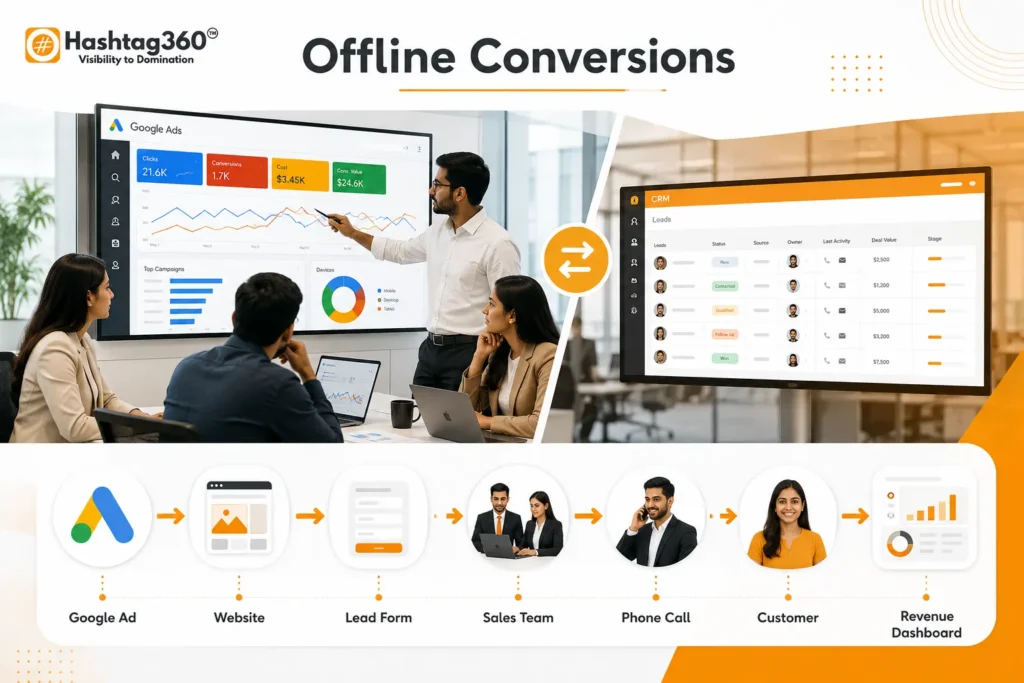
Table of Contents
What Are Offline Conversions?
An offline conversion is any valuable customer action that occurs outside your website after someone interacts with your online advertisement.
Unlike online conversions—which happen immediately on a website—offline conversions usually involve additional human interaction before the final sale.
For example:
A customer:
- Clicks your Google Ad
- Visits your website
- Submits a contact form
- Receives a phone call from your sales team
- Signs a contract two weeks later
The contract signing happened offline.
Without offline conversion tracking, Google Ads would only record the lead form submission.
With offline conversion tracking, Google Ads records the actual sale, allowing its machine learning to optimize for customers who are more likely to generate revenue rather than simply submit forms.
Simple Example
Imagine you own a luxury furniture business.
A customer searches:
“Premium Wooden Dining Tables”
They click your Google Ad.
They browse your website.
Instead of purchasing immediately, they request a callback.
Your sales representative discusses customization options over the phone.
Three weeks later, they purchase furniture worth $3,000.
Normal conversion tracking records:
✓ Lead Form
Offline conversion tracking records:
✓ Actual Sale
Google Ads now knows which keywords generate real paying customers instead of just inquiries.
Why Offline Conversion Tracking Matters
Many industries don’t sell products instantly.
Instead, customers:
- Speak with sales representatives
- Request quotations
- Visit offices
- Schedule demonstrations
- Attend consultations
- Compare multiple vendors
- Complete paperwork
- Sign contracts
The sales cycle may take days—or even months.
If you only measure website form submissions, you’re optimizing campaigns based on quantity of leads, not quality of sales.
Offline conversion tracking helps bridge this gap by connecting advertising data with CRM outcomes.
Businesses That Need Offline Conversion Tracking
Offline conversions are essential for businesses where purchases happen after human interaction.
These include:
Real Estate
Customers inquire online but purchase property after multiple site visits and consultations.
Automobile Dealerships
Most buyers don’t purchase vehicles online. They visit the showroom before making a decision.
Healthcare
Patients often book appointments online but complete treatments offline.
Education
Students submit inquiry forms but enroll after counseling sessions.
Insurance Companies
Leads generated online convert after discussions with advisors.
B2B Software Companies
Enterprise software deals may take several months before contracts are finalized.
Manufacturing Businesses
Orders usually require negotiations, pricing discussions, and purchase approvals.
Home Services
Customers request quotations online before hiring contractors.
Online vs Offline Conversions
| Online Conversion | Offline Conversion |
|---|---|
| Purchase on website | Purchase in store |
| Online subscription | Signed contract |
| Newsletter signup | Phone sale |
| Form submission | Closed CRM deal |
| Ebook download | Consultation completed |
| Online booking | Service delivered |
| Payment gateway purchase | Invoice paid |
Both types of conversions are important.
However, offline conversions provide a much clearer picture of actual business performance.
Why Most Businesses Misjudge Their Google Ads Performance
Imagine two campaigns.
Campaign A
- 300 Leads
- 8 Sales
Campaign B
- 120 Leads
- 45 Sales
Without offline conversion tracking, Campaign A appears better.
With CRM data connected, Campaign B generates significantly more revenue.
This is why relying solely on lead volume can lead to poor decisions.
Offline conversion tracking helps advertisers focus on what truly matters:
- Revenue
- Customer lifetime value
- Qualified leads
- Sales quality
- Return on investment (ROI)
How Offline Conversion Tracking Works
The process is surprisingly straightforward.
Step 1
Customer clicks your Google Ad.
↓
Step 2
Google assigns a unique Click ID (GCLID).
↓
Step 3
The customer fills out your lead form.
↓
Step 4
The GCLID is stored in your CRM.
↓
Step 5
Your sales team follows up.
↓
Step 6
The customer makes a purchase offline.
↓
Step 7
Your CRM imports the sale back into Google Ads.
↓
Step 8
Google learns which clicks generated actual revenue.
Key Components of Offline Conversion Tracking
To make offline conversion tracking work effectively, several elements must work together.
Google Click Identifier (GCLID)
A unique identifier automatically attached to ad clicks when auto-tagging is enabled. It connects ad interactions to later offline sales.
Customer Relationship Management (CRM)
Your CRM stores lead information, tracks sales progress, and retains the GCLID until the sale is completed.
Conversion Import
Once a sale is finalized, conversion data is imported back into Google Ads, either manually or automatically.
Conversion Value
Assigning a monetary value to each offline sale helps Google optimize campaigns based on revenue rather than lead volume.
Types of Offline Conversions
Offline conversions aren’t limited to one type of business. Depending on your sales process, there are several ways to measure valuable actions that happen after an ad click.
1. Phone Call Sales
Many customers prefer speaking with a sales representative before making a purchase.
For example:
- A user searches for “best accounting software.”
- They click your Google Ad.
- They call your sales team.
- The deal closes over the phone three days later.
Without offline conversion tracking, Google Ads only knows someone clicked the ad. With offline conversion tracking, Google Ads learns that the click resulted in a sale worth $2,500.
2. CRM Closed Deals
This is the most common use case for B2B businesses.
Customer journey:
Google Ad → Website → Lead Form → CRM → Sales Follow-up → Closed Deal
Since the final sale occurs in the CRM rather than on the website, importing offline conversions helps Google optimize for leads that actually become paying customers.
Industries that benefit include:
- SaaS companies
- Marketing agencies
- IT service providers
- Manufacturing companies
- Financial consultants
3. In-Store Purchases
Retail businesses often generate store visits from Google Ads but complete purchases in physical locations.
Examples:
- Furniture stores
- Jewelry shops
- Electronics retailers
- Clothing stores
- Car dealerships
Offline conversion tracking can attribute these purchases back to the original ad click when appropriate identifiers are captured.
4. Appointment Bookings That Convert Later
Many industries schedule consultations before the actual sale.
Examples:
- Doctors
- Dentists
- Lawyers
- Financial advisors
- Architects
- Interior designers
The consultation itself isn’t the conversion that matters most—the completed service or signed agreement is.
5. High-Value B2B Sales
Enterprise sales often take weeks or months.
A typical sales cycle might look like:
- Google Search
- Google Ad
- Whitepaper Download
- Sales Call
- Product Demo
- Technical Evaluation
- Proposal
- Negotiation
- Contract Signed
Offline conversion imports allow Google Ads to optimize for the final signed contract instead of the initial download.
Understanding GCLID (Google Click Identifier)
One of the most important concepts in offline conversion tracking is the Google Click Identifier (GCLID).
Whenever someone clicks your Google Ad with auto-tagging enabled, Google appends a unique parameter to the landing page URL.
Example:
https://example.com/?gclid=123ABCXYZ456This identifier acts like a digital fingerprint for that click.
When a visitor submits a form, your website should store the GCLID in your CRM alongside the lead’s details.
Later, when the sale is completed, the same GCLID is uploaded back into Google Ads, allowing Google to connect the sale to the original ad click.
Why GCLID Matters
Without the GCLID, Google cannot reliably match the offline sale to the specific campaign, keyword, or ad that generated the lead.
Capturing and preserving this value throughout your sales process is essential for accurate attribution.
What Is Enhanced Conversions for Leads?
Enhanced Conversions for Leads is Google’s privacy-focused method for improving conversion measurement.
Instead of relying only on cookies or click identifiers, Google securely uses first-party customer information (such as email addresses or phone numbers) that has been hashed before matching.
Benefits
- Better attribution accuracy
- Improved conversion reporting
- Stronger bidding signals for Smart Bidding
- Increased resilience as third-party cookies become less reliable
Enhanced Conversions for Leads work especially well alongside CRM systems and offline conversion imports.
CRM Integration for Offline Conversion Tracking
Your CRM is the bridge between Google Ads and your sales process.
It stores lead information, sales status, deal values, and customer interactions.
Popular CRMs include:
- Salesforce
- HubSpot
- Zoho CRM
- Microsoft Dynamics 365
- Pipedrive
- Freshsales
A well-integrated CRM allows you to:
- Store the GCLID with every lead
- Track each lead through the sales pipeline
- Record deal values
- Upload successful sales back into Google Ads
- Measure revenue generated by campaigns
Without CRM integration, offline conversion tracking often becomes a manual and error-prone process.
Manual vs Automated Offline Conversion Imports
There are two primary ways to send offline conversions back to Google Ads.
| Feature | Manual Upload | Automated Upload |
|---|---|---|
| Setup Difficulty | Easy | Moderate to Advanced |
| Suitable For | Small businesses | Medium to large businesses |
| Frequency | Occasional | Real-time or scheduled |
| Accuracy | Depends on manual process | Consistent and scalable |
| Human Error | Higher | Lower |
| Best For | Low lead volume | High lead volume |
Manual Upload
You export conversion data from your CRM into a CSV file and upload it into Google Ads.
This approach works well for businesses with relatively few monthly conversions.
Automated Upload
Using the Google Ads API or supported CRM integrations, conversions are sent automatically whenever a lead reaches a specified stage (for example, “Closed Won”).
Automation reduces delays, minimizes mistakes, and keeps reporting up to date.
Setting Up Offline Conversion Tracking in Google Ads
The setup process is straightforward when broken into steps.
Step 1: Enable Auto-Tagging
Auto-tagging allows Google Ads to append the GCLID to ad destination URLs.
Without auto-tagging, offline conversion tracking will not work correctly.
Step 2: Capture the GCLID
Your website should store the GCLID when a visitor lands on your site.
If the visitor fills out a lead form, save the GCLID together with the lead record in your CRM.
Step 3: Configure a Conversion Action
In Google Ads:
- Go to Goals
- Create a new conversion action
- Choose Import
- Select the appropriate offline conversion source
- Name the conversion (for example, “Qualified Lead” or “Closed Sale”)
- Assign a value if applicable
Using meaningful conversion names makes reporting much easier.
Step 4: Upload Offline Conversion Data
Whether manually or automatically, your upload should typically include:
- GCLID (or another supported identifier)
- Conversion Name
- Conversion Time
- Conversion Value
- Currency (if values are used)
Ensure timestamps and values are consistent with your CRM records.
Step 5: Verify Conversion Reporting
After importing conversions:
- Check that conversions appear in Google Ads.
- Verify attribution to campaigns and keywords.
- Confirm conversion values match your CRM.
- Monitor for upload errors and resolve any formatting or identifier issues.
Regular validation prevents data quality issues from affecting bidding.
Best Practices for Offline Conversion Tracking

To get the most value from offline conversion tracking, follow these recommendations:
Capture Every Lead Identifier
Store the GCLID (or another supported identifier) as soon as a visitor arrives and retain it throughout the sales cycle.
Keep CRM Data Clean
Use standardized sales stages, remove duplicate leads, and ensure sales representatives consistently update deal statuses.
Import Conversions Regularly
Frequent uploads provide fresher data to Google Ads, helping automated bidding strategies learn faster and make better optimization decisions.
Assign Accurate Conversion Values
If different deals have different values, import the actual revenue whenever possible rather than using a single fixed value.
Value-based bidding is significantly more effective when conversion values reflect real business outcomes.
Track Qualified Leads Separately
Not every form submission is equally valuable.
Consider separate conversion actions for:
- Marketing Qualified Leads (MQLs)
- Sales Qualified Leads (SQLs)
- Opportunities
- Closed Won Deals
This provides better visibility into funnel performance and enables more sophisticated campaign optimization.
Common Offline Conversion Tracking Mistakes

Even after setting up offline conversion tracking, many businesses fail to get accurate data because of avoidable implementation mistakes. Here are the most common ones and how to prevent them.
1. Not Capturing the GCLID
The Google Click Identifier (GCLID) is the bridge between a Google Ads click and an offline sale.
If your landing page, forms, or CRM don’t capture and store the GCLID, Google Ads cannot attribute the sale to the correct campaign.
Solution:
- Enable Auto-Tagging in Google Ads.
- Store the GCLID in a hidden form field.
- Save it permanently in your CRM.
2. Uploading Conversions Too Late
Uploading conversions weeks or months after a sale delays Google’s machine learning.
Fresh conversion data helps Smart Bidding adapt faster.
Best Practice
Upload conversions:
- Daily
- Every few hours
- Or automatically through CRM integration
3. Importing Every Lead as a Conversion
Not every lead deserves equal importance.
Example:
- Spam Lead
- Student Inquiry
- Existing Customer
- Competitor Inquiry
These shouldn’t influence Google’s bidding algorithms.
Instead, upload:
- Qualified Leads
- Sales Qualified Leads
- Closed Deals
- Completed Purchases
4. Missing Conversion Values
Many advertisers import conversions but don’t assign values.
Without values:
Google sees
Lead A = Lead B
Even if
Lead A = $500
Lead B = $25,000
Always import the actual deal value whenever possible.
5. Poor CRM Hygiene
Your CRM directly affects conversion accuracy.
Problems include:
- Duplicate contacts
- Missing lead stages
- Incorrect sales status
- Deleted GCLIDs
- Inconsistent data entry
Maintain standardized CRM processes and audit records regularly.
Advanced Offline Conversion Strategies

Once the basics are working, you can improve campaign performance with more advanced techniques.
1. Optimize for Revenue Instead of Leads
Many businesses focus on increasing lead volume.
A better approach is to optimize for:
- Revenue
- Profit
- Customer Lifetime Value (CLV)
- Return on Ad Spend (ROAS)
Google’s Smart Bidding performs better when fed meaningful business outcomes rather than raw lead counts.
2. Import Qualified Leads
Instead of optimizing for every form submission, create conversion actions for:
- Marketing Qualified Lead (MQL)
- Sales Qualified Lead (SQL)
- Opportunity Created
- Proposal Sent
- Closed Won
This teaches Google to find users who are more likely to become customers.
3. Use Value-Based Bidding
If one customer spends $500 and another spends $50,000, they shouldn’t carry the same weight.
Assign actual revenue values to imported conversions.
Google can then prioritize campaigns and keywords that drive higher-value customers.
4. Connect Multiple Data Sources
Modern businesses often use:
- Google Ads
- CRM
- Call Tracking Software
- ERP Systems
- Marketing Automation Platforms
Integrating these systems provides a complete view of the customer journey and improves attribution accuracy.
5. Analyze the Entire Sales Funnel
Instead of measuring only the final sale, monitor each stage:
Google Ad
↓
Website Visit
↓
Lead
↓
Qualified Lead
↓
Meeting Scheduled
↓
Proposal
↓
Negotiation
↓
Closed Deal
This helps identify where potential customers drop off and where improvements are needed.
Real-World Example
Imagine a software company running Google Ads.
Before Offline Conversion Tracking
Monthly Ad Spend: $5,000
Results reported in Google Ads:
- 450 Leads
- Cost per Lead: $11.11
The campaigns appear successful, but the sales team reports that many leads never become customers.
After Offline Conversion Tracking
CRM data reveals:
- 450 Leads
- 120 Qualified Leads
- 45 Product Demos
- 18 Closed Deals
- Revenue: $72,000
Further analysis shows:
Campaign A:
- 200 Leads
- 3 Sales
Campaign B:
- 100 Leads
- 15 Sales
Without offline conversion tracking, Campaign A looked better.
With CRM integration, the business shifts more budget to Campaign B, improving overall ROI.
Benefits of Offline Conversion Tracking
Businesses that implement offline conversion tracking often gain:
- More accurate campaign reporting
- Better keyword optimization
- Improved Smart Bidding performance
- Higher lead quality
- Better sales and marketing alignment
- Increased Return on Ad Spend (ROAS)
- Clearer attribution across the customer journey
- Smarter budget allocation
- Data-driven business decisions
Frequently Asked Questions (FAQs)
What is an offline conversion?
An offline conversion is a valuable action that happens after an online ad interaction but outside your website, such as a phone sale, signed contract, in-store purchase, or completed consultation.
Why are offline conversions important?
They connect your advertising campaigns to actual business outcomes, allowing you to optimize for revenue rather than just clicks or form submissions.
Does Google Ads support offline conversion tracking?
Yes. Google Ads allows advertisers to import offline conversions manually or automatically using supported identifiers such as GCLID and enhanced conversions for leads.
Can small businesses use offline conversion tracking?
Absolutely. Even businesses with a simple CRM and a manageable number of leads can upload offline conversions manually and gain valuable insights.
Which industries benefit the most?
Offline conversion tracking is especially useful for:
- Real Estate
- Healthcare
- Education
- Automotive
- Legal Services
- Financial Services
- SaaS
- Manufacturing
- Marketing Agencies
- Home Services
- Insurance
- B2B Businesses
Is offline conversion tracking difficult to implement?
The technical setup requires planning, especially around capturing click identifiers and CRM integration, but once configured, it provides long-term reporting and optimization benefits.
Final Thoughts
Digital advertising doesn’t end when someone submits a form or clicks a button. For many businesses, the real value is created during conversations with sales teams, consultations, proposals, negotiations, and final purchases.
If your Google Ads account only measures online actions, you’re likely missing a significant part of the customer journey.
Offline conversion tracking closes that gap. It enables you to understand which campaigns generate qualified leads, which keywords lead to revenue, and where your marketing budget delivers the greatest return.
By connecting Google Ads with your CRM and importing completed sales, you empower Google’s machine learning to optimize for what truly matters: business growth, not just website activity.
Whether you’re a growing local business or a large enterprise with a complex sales cycle, offline conversion tracking can become one of the most impactful improvements you make to your measurement strategy.
How Hashtag360 Can Help
Implementing offline conversion tracking correctly requires expertise in Google Ads, analytics, CRM systems, and conversion attribution.
At Hashtag360, we help businesses move beyond basic lead tracking by building complete measurement systems that connect marketing efforts to real revenue. Our team can:
- Configure Google Ads conversion tracking
- Set up Google Tag Manager (GTM)
- Integrate Google Analytics 4 (GA4)
- Capture and store GCLIDs correctly
- Connect CRMs with Google Ads
- Implement Enhanced Conversions for Leads
- Automate offline conversion imports
- Build Looker Studio dashboards for end-to-end reporting
- Optimize campaigns using value-based bidding strategies
With accurate tracking in place, you gain reliable insights into campaign performance, improve lead quality, and make smarter advertising decisions based on actual business outcomes.